Short Answer
If you need a few work emails each month, start with a free finder and check the limits before paying for a subscription. If you need thousands, compare the total cost of finding, checking and exporting the addresses you can actually use. A low price per lookup means little if half the results are missing, outdated or outside your target audience.
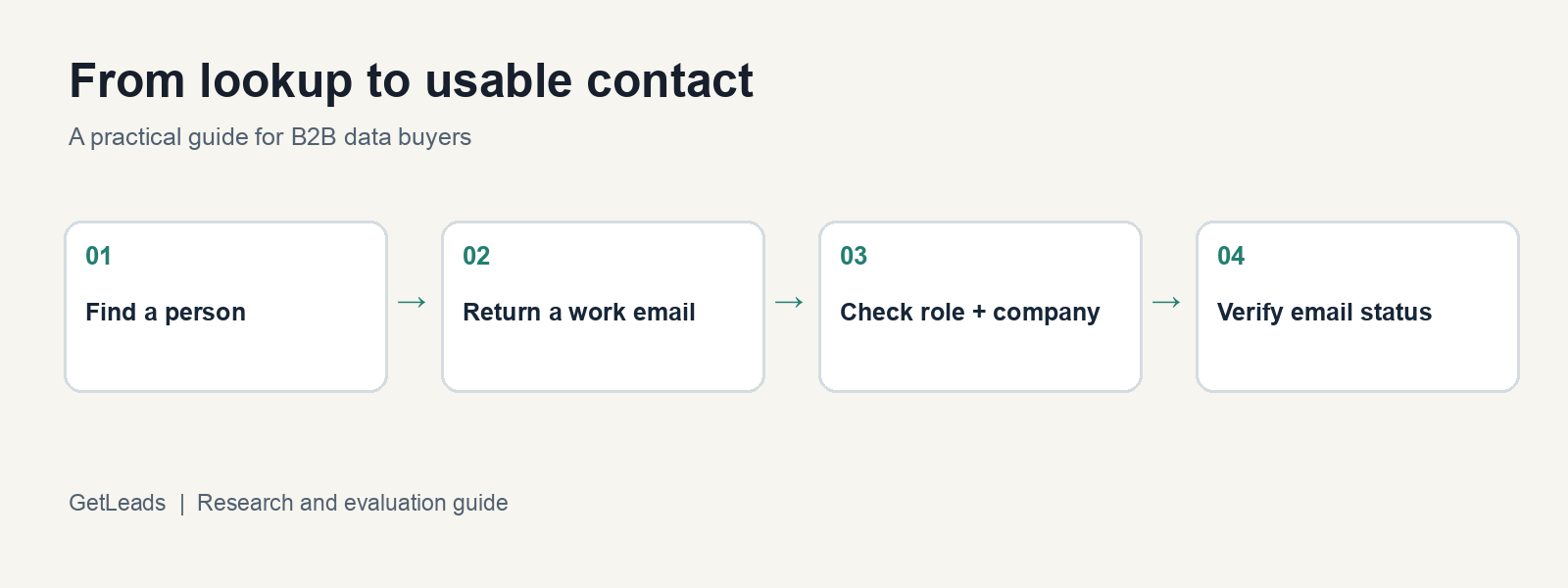
This guide was written by GetLeads, a B2B data provider. We’ve included other options because the right choice depends on your volume, your inputs and the rest of your workflow.
Pricing and plan details checked 31 October 2026. Providers can change them; check the linked pages before buying.
Start with what you already know
Different starting points call for different tools. Pick the row that matches your list before you compare prices.
| What you have | What to do | Example |
|---|---|---|
| A person's name and company | Use a person finder or enrichment tool to look up their work email. | Find the head of sales at a known company. |
| A company or its domain, but no person | Search for people at that company, then filter by role. | Find founders at a list of agencies. |
| An existing list of email addresses | Verify the addresses and update records where needed. | Clean a CRM export before a campaign. |
| A target audience, but no list | Search a contact database by company, location and role, then export the relevant people. | Build a list of finance leaders at US software companies. |
The distinction affects cost. Looking up a known person and searching a database for a whole audience can use different credit rules, even within the same product. The same is true of finding and verifying an email.
Free email finders: what you can get without paying
A free plan is useful for occasional lookups and for testing a workflow. Check whether its allowance renews, what each action consumes, and whether you can export the results you need.
| Provider | Published free offer | Check before relying on it |
|---|---|---|
| Hunter | 50 credits per month on its free plan. Finding, verification and bulk tools are included. | Credits are shared across actions; free CSV exports have limits, including a maximum of 10 email addresses per domain. Free-plan details. |
| Apollo | Apollo describes 75 credits per month on its free plan, with one credit for a net-new email reveal. | Check which actions consume credits and whether the current plan supports your intended export or integration. Apollo's free-plan guide. |
| GetLeads | New accounts can start with 1,000 free credits, according to the signup page. | Check the current account terms and the credit rules for the specific search, export or enrichment operation you use. |
These are allowances, not promises that you will find that many suitable contacts. A credit can also buy different things. Hunter's all-in-one plan, for example, lists one credit for an email found through Email Finder and half a credit for an Email Verifier check. Its API-focused Data Platform uses separate search and verification credits. Hunter's credit rules explain the distinction.
As a simple illustration, if you use Hunter's free all-in-one allowance solely for 33 successful individual finder results and then run a separate verification on each, the stated rates total 49.5 credits. That is an arithmetic example, not a recommendation to duplicate a check already included in a particular result. Domain search, bulk use, failed checks and other actions have their own rules.
Free is a sensible choice when the allowance covers your needs. A paid subscription becomes worth testing when you repeatedly exceed that allowance, need a feature missing from the free plan, or spend too much time assembling lists manually.
What GetLeads data shows about finding work emails
We queried GetLeads on 31 October 2026 for people in the United States with director-level seniority in three industry categories. For each audience, we counted all matching records, then repeated the query requiring an email field.
| Industry in GetLeads | Matching director-level records | With a work email on file | Share with a work email on file |
|---|---|---|---|
| Software Development | 496,473 | 297,177 | 59.9% |
| Marketing Services | 14,730 | 5,575 | 37.8% |
| Accounting | 129,195 | 79,187 | 61.3% |
This is a snapshot of the records in GetLeads, not a measurement of all US directors or the percentage of people whose emails can be found. Industry and seniority come from the database's classifications. We did not check whether the people still hold those roles, whether the addresses are current or deliverable, or whether the records fit a particular campaign. The email filter reports field availability, not independently verified usable contacts.
For a buyer, the practical lesson is to test the exact audience before modelling costs: if you need 1,000 usable contacts, 1,000 matching records may not be enough. Apply your own role checks and verification policy to the returned addresses before calculating usable yield.
Method: GetLeads MCP count_contacts, with countries=["United States"], seniority=["director"] and one listed industries value per query. For the second count, the same filters plus require_email=true. Counts were captured on 31 October 2026 and may change; the percentage is the second count divided by the first. The software and accounting audiences exceed the API's 50,000-row single-export cap, so a count is not a promise of one export. See the GetLeads API reference.
What a GetLeads customer found in practice
Danish Lead Co, a B2B outbound agency, shared its own verification and campaign figures in a GetLeads case study. As of 24 September 2026, the agency had pulled 93,427 contacts across 24,497 companies in 34 lists. It said 236 contacts came back invalid and 411 undeliverable in its own verification process; it excluded both groups before sending.
For a US and Canada campaign aimed at private equity, M&A and investment banking, the agency reported 5,994 emails sent and a 0.97% bounce rate. An Australian campaign reported 1,248 emails sent and a 0.40% bounce rate. The campaigns had been running for eleven days at the time of the snapshot.
These are customer-reported results, not an independent comparison or a guarantee of what another buyer will achieve. The verification counts describe the broader set of contacts pulled; the campaign bounce rates describe separate campaigns after the agency's checks. They should not be treated as the same denominator. The case study does not establish which provider would deliver the cheapest usable contact for your audience.
Finding an email and verifying it are different steps
An email finder returns an address for a person or company. A verifier checks signals that help assess whether an address can receive mail. The finder may supply a verification status, but the status, its age and the checks behind it vary by provider.
Before sending, separate results into at least three groups:
- Valid: the verifier reports a positive result under its own checks. Check when it was last verified.
- Catch-all or accept-all: the receiving domain accepts messages for addresses whether or not a specific mailbox exists. A normal mailbox check may not confirm the individual address. Keep these separate and decide how much uncertainty your campaign can tolerate.
- Invalid or unknown: remove invalid addresses. Keep unknown results separate for further review rather than treating them as confirmed.
See Hunter's explanation of verification statuses for an example of how a verifier labels its results.
A verification result is not a guarantee that a message will land in the inbox or that the person still holds the role. Check relevance and freshness as well as email status. For example, someone can have a valid address at a company but no longer be the decision-maker you need.
Calculate the cost per usable email
Compare providers using the same definition of “usable.” For an outbound campaign, you might define it as a unique contact in your target audience with a current role and an email that passes your chosen verification policy.
Then calculate:
Total cost for the period ÷ number of usable contacts = cost per usable contact
Include the finder or database subscription, credits or overages, extra verification, and any other cost needed to produce the list. If you already pay for a subscription for several jobs, show both the full subscription cost and the share you allocate to this job. Sending software and mailboxes can be added if you want the cost of the complete outbound workflow.
Worked example: a fixed-price data plan
Suppose a team pays $497 for one month of a data plan. For the example, assume an external verifier costs $0.005 per address checked, every returned address is checked, and 72% of returned addresses satisfy the team's definition of usable. These verification costs and outcomes are hypothetical; they are not a GetLeads benchmark or a quote for a verifier. The example excludes sending software, labour, taxes and any other charges.
| Assumed returned addresses | Assumed usable contacts | Data subscription | Hypothetical verification | Combined cost | Cost per usable contact |
|---|---|---|---|---|---|
| 1,000 | 720 | $497 | $5 | $502 | $0.697 |
| 10,000 | 7,200 | $497 | $50 | $547 | $0.076 |
The fixed subscription is spread over more usable contacts in the second case. That does not mean a $497 plan is best at 10,000 contacts: another provider may cost less, find more of your target audience, or include services you would otherwise pay for separately.
GetLeads advertises a $497 monthly Unlimited plan. The API reference describes account-level fair-use limits for unlimited plans, so check your account's limits and the current terms when modelling higher volumes. The example above is a cost model, not a promise of coverage or verified yield.
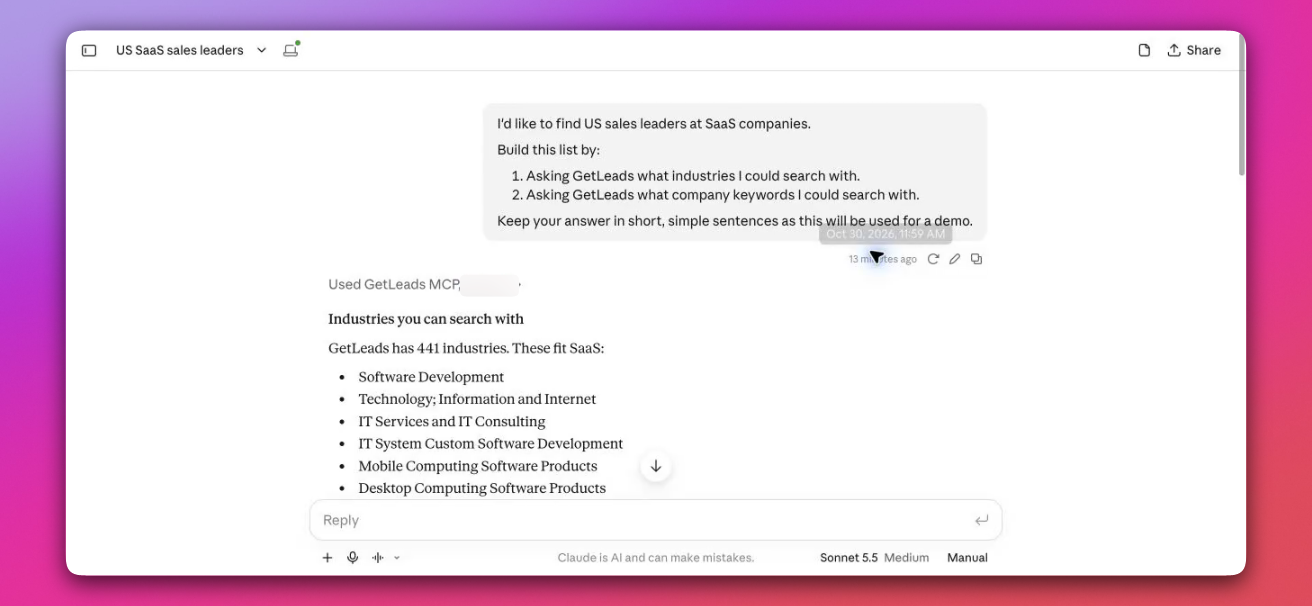
Claude using GetLeads MCP to research a US SaaS audience. The screenshot shows a real conversation.
How to find emails in GetLeads
GetLeads can be useful when you want to build a contact list from an audience definition, or enrich people you already know using an API or connected AI tool. You can connect through GetLeads MCP or use the API.
For a list of people whose names and companies you already have:
- Prepare a file with first name, last name and either company name or email domain for each person. Remove duplicates and obvious errors before submitting it.
- Use the person enrichment workflow. The API accepts these inputs through
POST /api/v1/enrich/from-person; CSV enrichment also supports apersonmode. A match can return a work email and other available fields. - Count matched records and missing emails separately. A processed row is not automatically a successful match.
- Review the current employer and role, then check the returned emails against your verification policy before using them.
- Export the usable results to your existing CRM or sending tool and keep the original inputs so you can investigate misses.
The API documentation says enrichment consumes one credit per item submitted, including a miss, on credit-based plans. It also says enrichment does not return email-verification metadata. Search and export have different billing rules, so check the operation you intend to use in the billing and enrichment reference. An absent verification field does not by itself tell you what checks happened upstream; if your workflow needs a verification status or date, obtain it before sending.
If you already have a short list of names and a free tool finds what you need, GetLeads may be more than you need. If you need both data and an all-in-one sending platform, include the price and setup of your sending tools in the comparison.
Run a small test before committing to a larger list
Take a sample that resembles the audience you actually need: the same countries, industries, company sizes and seniority. Submit the same sample to each shortlisted provider where its terms and workflow allow it. Freeze the input list and test the providers during the same period, so changes in the audience do not masquerade as differences in coverage.
Record the number submitted, matches, emails returned, duplicates, relevant roles, verification outcomes and total charges. Calculate the cost per usable contact using the same rules for each provider. Keep catch-all and unknown addresses in separate columns so they don't quietly inflate the success rate. Provider labels are not always equivalent: map each status to a shared definition before comparing results, and report the number of records behind each percentage.
A sample won't prove that a provider is best for every market. It will tell you whether it is finding the people you want at a price you can use. See the GetLeads data fields and example downloads to decide which fields to include in your test.
Frequently asked questions
Can I find work emails for free?
Free plans can cover occasional lookups. Check the allowance, whether it renews, export limits and the credit cost of finding and verifying an address.
Does a returned work email need verification?
Check the provider's verification status and its age. If that information is missing or does not meet your policy, use a verifier and report unknown and catch-all results separately.
What is the cheapest way to find work emails at scale?
Compare the full cost per usable contact for your own audience, including subscription, usage and verification. The cheapest option depends on volume and the share of results that meet your requirements.
Conclusion
Start with the data you have, then run the same sample through shortlisted tools. Choose on usable output and total cost, not the price of a lookup alone.